
Choosing the technology behind your website is not a decision you should make simply because one platform is popular or because the development company you are talking to specializes in it.
You may hear:
“WordPress is the best option.”
Or:
“No, you need Custom Development.”
And if you’re building an online store:
“Shopify is the best.”
But the reality is that there is no single technology that is the best choice for every project.
The right choice depends on your business model, project goals, required features, budget, level of customization, integrations, and future plans.
Choosing the wrong technology can eventually lead to:
- Difficulty adding new features.
- Performance problems.
- Additional development costs.
- Heavy dependence on plugins or apps.
- Integration limitations.
- Scalability problems.
- Higher maintenance requirements.
At the same time, choosing a technology that is much more powerful than you actually need can make your project unnecessarily expensive and complicated.
So the right question isn’t:
“What’s the best technology?”
It’s:
“What’s the right technology for this project?”
Before Choosing a Technology, Define What You Actually Need
Before comparing WordPress, Shopify, WooCommerce, and Custom Development, remember that technology is only a means to an end.
Start with questions like:
- What is the purpose of the website?
- Who will use it?
- Is it simply a corporate website?
- Will customers purchase products online?
- Will users have accounts?
- Do you need dashboards?
- Do you need subscriptions?
- Do you need booking functionality?
- Is it an educational platform?
- Does it need integrations?
- Does it have complex business logic?
- Will the project need to scale significantly?
Every one of these answers can influence the technology decision.
A relatively simple project may be better served by a ready-made platform that can launch quickly and cost-effectively.
Another project may require a completely customized architecture.
That’s why you should start with requirements, not technology.
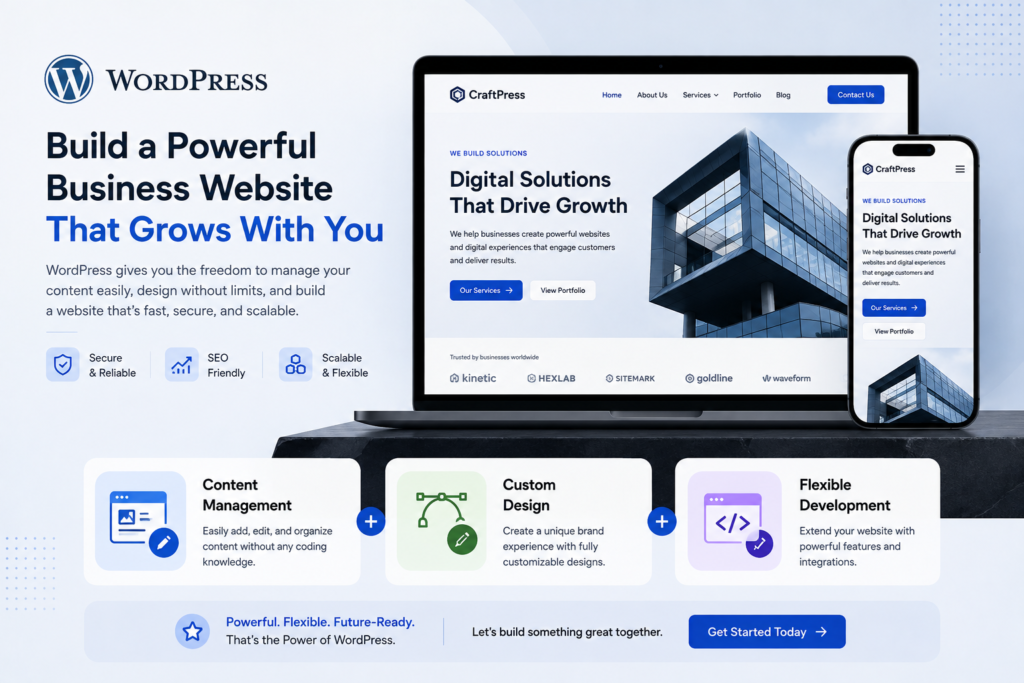
1. When Is WordPress a Good Choice?
WordPress can be a strong choice when you’re building:
- A corporate website.
- A content website.
- A blog.
- A portfolio.
- A professional website.
- A medical or legal website.
- An educational website.
- A service-based business website.
- A website that requires easy content management.
- A website that needs flexible design and development.
One of WordPress’s major advantages is that it gives businesses a content management system while still allowing significant design and development flexibility.
That makes it suitable for a wide range of businesses and projects.
But that doesn’t mean WordPress is the right solution for everything.
If a project has highly complex requirements, forcing it into WordPress can create unnecessary architectural complexity instead of simplifying the project.
For a deeper comparison, read WordPress vs. Custom Development.
2. When Is Shopify a Good Choice?
If your primary project is e-commerce, Shopify can be a suitable option when you want a ready-made commerce platform rather than building the entire system from scratch.
One of the advantages of this type of solution is that you get infrastructure designed specifically for e-commerce instead of starting with a general-purpose CMS and adding every commerce function yourself.
Shopify can make sense when your priorities include:
- Launching an online store quickly.
- Managing products.
- Managing orders.
- Supporting standard e-commerce operations.
- Reducing the amount of custom development required.
- Using an established e-commerce ecosystem.
But Shopify isn’t automatically the best choice for every online store.
If your business has highly specific requirements, complex integrations, or workflows that differ significantly from standard e-commerce operations, you need to evaluate the requirements more carefully.
Don’t choose Shopify simply because:
“Everyone uses it.”
Choose it when your project requirements fit the platform.
You can also explore our Shopify guide for more information.
3. When Does WooCommerce Make Sense?
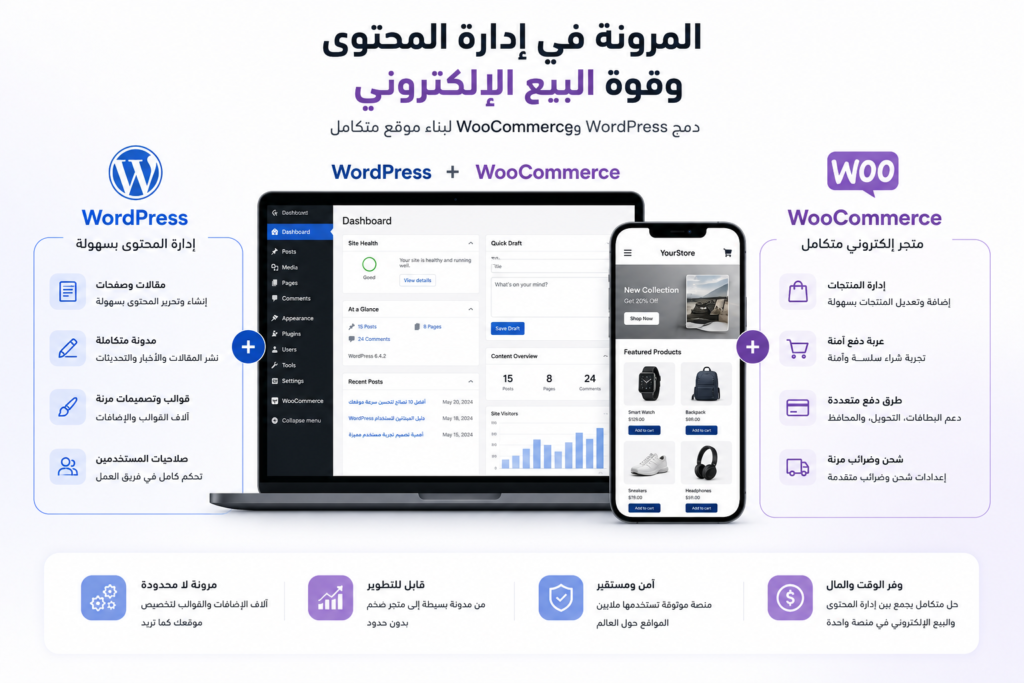
WooCommerce is another important option when you want an online store built within the WordPress ecosystem.
This can be useful when you need:
- WordPress.
- Content marketing.
- Blogging.
- E-commerce.
- Flexible content management.
- Customization.
- A close connection between content and commerce.
For example, imagine a brand that sells products while relying heavily on SEO and content marketing.
Combining WordPress and WooCommerce can make sense in that situation.
But again:
Not every online store needs WooCommerce.
The decision should depend on:
- Store size.
- Number of products.
- Operational workflows.
- Integrations.
- Payment methods.
- Shipping requirements.
- Custom features.
- Management team.
- Growth plans.
4. When Do You Need Custom Development?
This is where many businesses misunderstand the concept.
Custom Development does not automatically mean better.
Custom development means building the system—or important parts of it—around the project’s specific requirements instead of relying entirely on a ready-made platform.
It can make sense when the project requires:
- Custom business logic.
- Unique workflows.
- Custom dashboards.
- Complex user roles.
- Specialized integrations.
- Internal systems.
- Automation.
- Custom data structures.
- Features that aren’t adequately supported by existing platforms.
- An architecture designed specifically around the business.
For example, if a company needs an internal system for managing a highly specific business process, it wouldn’t make sense to assume WordPress is the right solution simply because it’s easy to use.
In that situation, a custom web application may be more appropriate.
5. Is Custom Development Always Better?
No.
This is extremely important.
A client may say:
“I want Custom Development because I want something professional.”
But professionalism doesn’t mean writing every line of code from scratch.
If you’re building a relatively simple corporate website with no complex requirements, building an entire system from scratch could be:
- More expensive.
- Slower to launch.
- More difficult to maintain.
- More complex than necessary.
If WordPress, Shopify, or WooCommerce can meet the requirements effectively, using them may be the more efficient decision.
Custom Development should be justified by the requirements, not by the label.
6. Is WordPress Suitable for Large Companies?
Company size alone doesn’t determine the right technology.
A large company may have a relatively straightforward corporate website, in which case a suitable CMS can work perfectly well.
At the same time, a smaller company may have a highly complex system that requires Custom Development.
So:
Company Size ≠ Technology Choice
The more important factors are:
Project Complexity + Requirements + Scale + Integrations
7. Do You Always Need One Technology for the Entire Project?
Not necessarily.
Sometimes the best solution consists of multiple technologies and systems.
For example:
Website
+
CRM
+
Payment Gateway
+
ERP
+
Custom Dashboard
In that situation, the question isn’t:
“WordPress or Custom Development?”
It’s:
“How should these systems work together?”
That’s where System Integration becomes important.
Sometimes the best architecture isn’t one platform trying to do everything.
It’s a combination of systems where each one handles the job it’s best suited for.
8. What Should You Define Before Choosing a Technology?
Before development begins, document the project requirements.
First: Project Type
Is it:
- Corporate Website?
- E-commerce Store?
- Educational Platform?
- Booking Platform?
- Web Application?
- Marketplace?
- Internal Business System?
Second: Users
Who will use the system?
- Visitors?
- Customers?
- Employees?
- Administrators?
- Instructors?
- Vendors?
- Managers?
Different user types may require different permissions and workflows.
Third: Features
List the required functionality.
For example:
- Registration.
- Login.
- Payments.
- Booking.
- Dashboards.
- Notifications.
- Search.
- Filters.
- Reports.
- Integrations.
Then ask:
Can an existing platform handle these requirements properly?
Or:
Do we need Custom Development?
9. Think About the Future, Not Just the Launch
A technology can be perfect for version one, but you should still ask:
What happens a year from now?
Consider:
- Can you add new features?
- Can the system handle more users?
- Can you add new integrations?
- Can different parts of the system evolve independently?
- Can your team manage it?
- Will future development remain reasonably affordable?
But don’t make the opposite mistake:
“We might need this feature five years from now, so we need a fully custom system today.”
Plan for growth, but don’t introduce unnecessary complexity before you actually need it.
10. The Cost Isn’t Just the Development Price
When comparing technologies, don’t look only at:
Initial Development Cost
Consider the full picture:
- Development.
- Hosting.
- Plugins.
- Apps.
- Licenses.
- Maintenance.
- Security.
- Updates.
- Support.
- Future development.
- Integrations.
One solution may be cheaper initially but more expensive over time.
Another may require more upfront investment but reduce long-term development constraints.
That’s why the better comparison is:
Total Cost of Ownership
not simply:
Initial Development Price
WordPress vs. Shopify vs. WooCommerce vs. Custom Development
| Factor | WordPress | Shopify | WooCommerce | Custom Development |
|---|---|---|---|---|
| Corporate Website | Excellent | Usually not ideal | Usually unnecessary | Possible |
| Content / Blog | Excellent | Good | Excellent | Possible |
| E-commerce | Possible | Excellent | Excellent | Excellent |
| Custom Functionality | Very Good | Depends on requirements | Very Good | Excellent |
| Launch Speed | High | High | High | Lower |
| Flexibility | High | Moderate | High | Very High |
| Customization | High | Good | High | Complete |
| Complexity | Moderate | Relatively low | Moderate | High |
| Maintenance | Required | Lower for managed infrastructure | Required | Required |
| Complex Systems | Depends on project | Limited for some use cases | Depends on project | Excellent |
Important: This table is not an absolute ranking.
Each technology can be excellent for one project and completely inappropriate for another.
Common Mistakes When Choosing a Technology
“Choose whatever my competitors use”
Your competitor’s technology doesn’t automatically fit your business.
Their business model, processes, and requirements may be completely different.
“Choose the cheapest option”
The cheapest technology at launch isn’t necessarily the cheapest solution over the life of the project.
“Choose Custom because it’s more professional”
Custom doesn’t automatically mean higher quality.
Quality means choosing an architecture that fits the problem.
“Choose WordPress because it’s easy”
Ease of entry doesn’t mean it’s suitable for every project.
“Choose Shopify because all online stores use it”
If your store has specialized requirements, evaluate those requirements first.
So Which Technology Should You Choose?
You can use this as a starting point:
If you need a corporate or content-focused website
Start by evaluating WordPress.
If you need an online store and want a managed e-commerce platform
Evaluate Shopify.
If you want e-commerce within the WordPress ecosystem
Evaluate WooCommerce.
If you need highly specialized functionality or workflows
Evaluate Custom Development.
If you need multiple systems to work together
Evaluate System Integration rather than forcing everything into one platform.
But remember:
This is only a starting point.
The final decision should come after analyzing the actual project requirements.
Can You Start With WordPress and Move to Custom Development Later?
Yes, in some projects that can be a reasonable approach.
You can start with a solution that fits the first stage of the business and later develop custom components as more complex requirements emerge.
However, this isn’t the right strategy for every project.
The important thing is to avoid creating unnecessary technical limitations in the first place.
Your initial architecture should be appropriate for the current requirements while leaving reasonable room for future growth.
Can You Combine WordPress With Custom Development?
Absolutely.
Using WordPress doesn’t mean that every feature has to come from an off-the-shelf plugin.
You can build:
- Custom plugins.
- Custom integrations.
- Custom APIs.
- Custom functionality.
- Custom dashboards.
This can sometimes be a better approach than installing a large number of plugins to force the platform to perform functions it wasn’t designed to handle out of the box.
The idea is:
WordPress can be the foundation, while the overall solution can still include custom development.
The Most Important Question to Ask a Web Development Company
Before agreeing to any technology, ask:
“Why did you choose this technology for my project?”
Then ask:
“What alternatives did you consider?”
And finally:
“What limitations or problems might I face later?”
If the company can explain its recommendation based on:
- Requirements.
- Budget.
- Performance.
- Scalability.
- Security.
- Maintenance.
- Integrations.
- Future growth.
then you’re more likely to be working with a Technology Partner.
If the answer is simply:
“This is how we build every website.”
you should probably ask more questions.
Final Takeaway: There Is No Single Best Technology
WordPress isn’t always the best.
Shopify isn’t always the best.
WooCommerce isn’t always the best.
And Custom Development isn’t always the best.
The right technology is the one that meets the project’s requirements with the least unnecessary complexity while providing enough flexibility for future growth.
For a corporate website, WordPress may be an excellent choice.
For an online store, Shopify or WooCommerce may be more appropriate.
For a complex system or specialized workflow, Custom Development may make more sense.
And if your project needs several systems to work together, an integration-based architecture may be better than forcing everything into one platform.
That’s why at CraftPress, the goal isn’t to convince you to use a particular technology.
The goal is to:
Understand your project first, then choose the right technology.
If you’re planning a new project or have an existing system that you’re considering upgrading, rebuilding, or migrating to a different technology, talk to CraftPress and let’s start with your requirements—not the platform name.
Frequently Asked Questions
Is WordPress better than Shopify?
There is no universal winner. WordPress is suitable for many corporate and content-focused websites, while Shopify is primarily designed for e-commerce. The right choice depends on the project’s requirements.
Is Shopify better than WooCommerce?
Not necessarily. Shopify provides a managed e-commerce platform, while WooCommerce operates within WordPress and offers significant flexibility. The right option depends on the store’s requirements, operations, and customization needs.
When do I need Custom Development?
Custom Development makes sense when you have specialized functionality, workflows, integrations, or system requirements that cannot be handled effectively by existing platforms.
Is Custom Development more expensive than WordPress?
It can have a higher initial development cost because more of the system may need to be built specifically for the project. However, the right comparison depends on the requirements and long-term costs—not simply the technology name.
Does every online store need Shopify or WooCommerce?
No. The right e-commerce platform depends on products, operations, payments, shipping, integrations, customization requirements, and growth plans.
Can WordPress be combined with Custom Development?
Yes. Custom plugins, integrations, APIs, dashboards, and other functionality can be developed around WordPress when off-the-shelf solutions aren’t appropriate.
Should I choose a different technology if my project is expected to grow?
Not necessarily. The better approach is to choose an architecture that supports your current requirements while allowing reasonable future growth without introducing unnecessary complexity.
How do I know which technology is right for my project?
Start by defining your project goals, users, features, integrations, customization requirements, budget, and growth plans. Then compare WordPress, Shopify, WooCommerce, and Custom Development against those requirements.
Not sure whether you should choose WordPress, Shopify, WooCommerce, or Custom Development?
Don’t start by choosing the platform.
Start by understanding what your project actually needs.
At CraftPress, we analyze your requirements, features, integrations, and growth plans before recommending the technology that makes the most sense for your project.
Tell us about your project, and let’s determine the right architecture and development approach.